Work orders & invoices
Start with an estimate, track the job through the bay, and print or save the invoice as a PDF.
- Parts, labor and fee lines
- Sales tax with tax-exempt customers
- Part payments and balance due
Shop management for mechanics
Estimates and invoices, customers and their cars, parts on the shelf, tools in the bays, orders to suppliers and the day's appointments. Mechanger keeps it all in one place, so nothing lives on sticky notes.
Early preview. Mechanger is a Windows app that has been tested with demo data only. It hasn't run in a real shop yet, and there is nothing to buy.
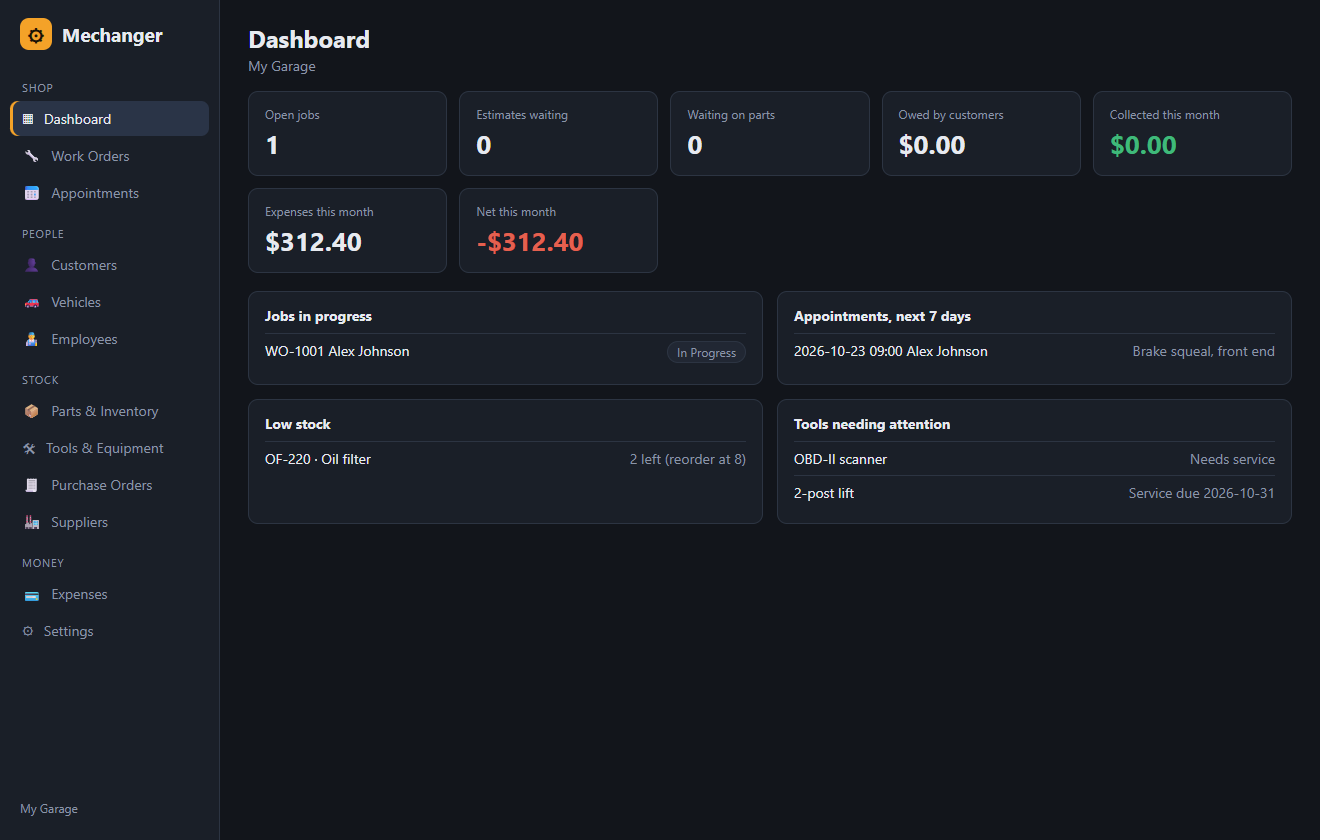
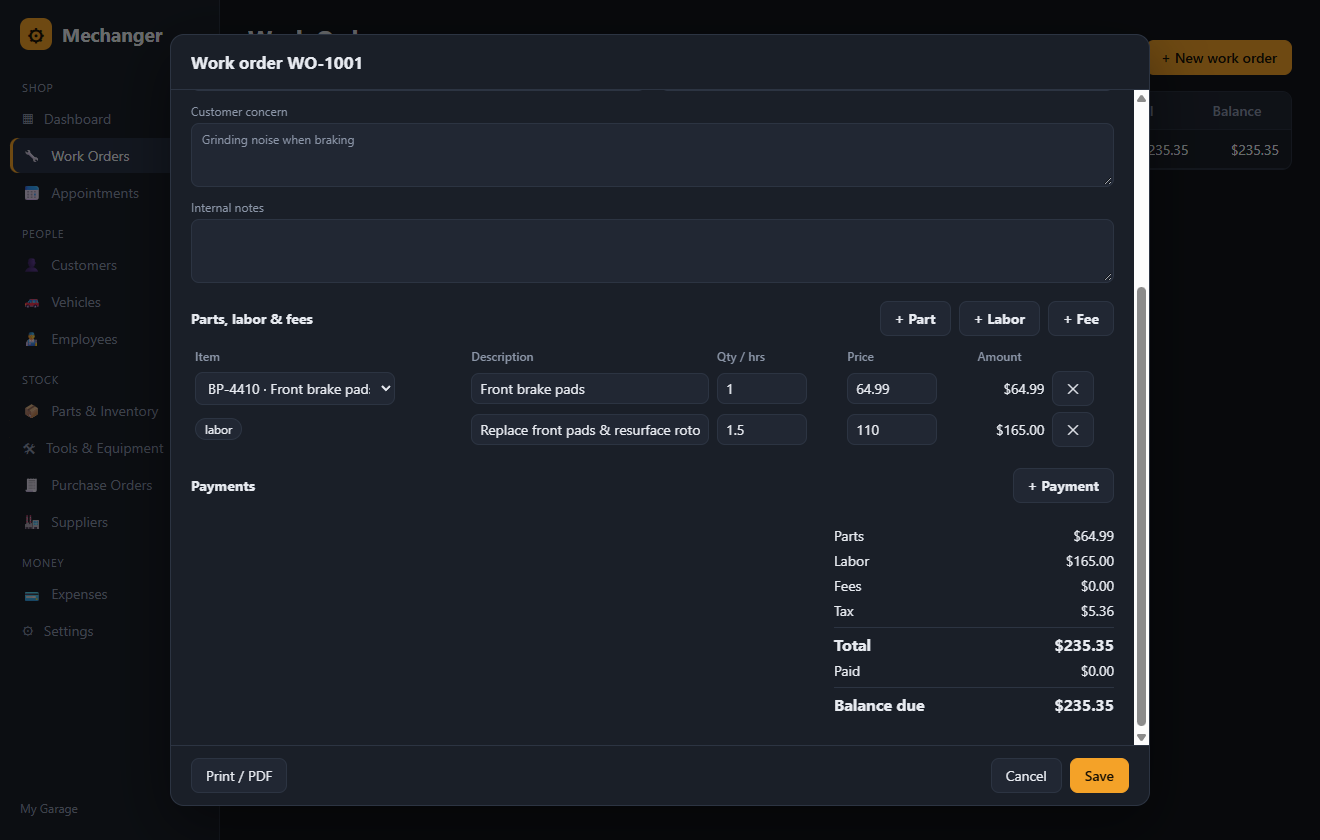
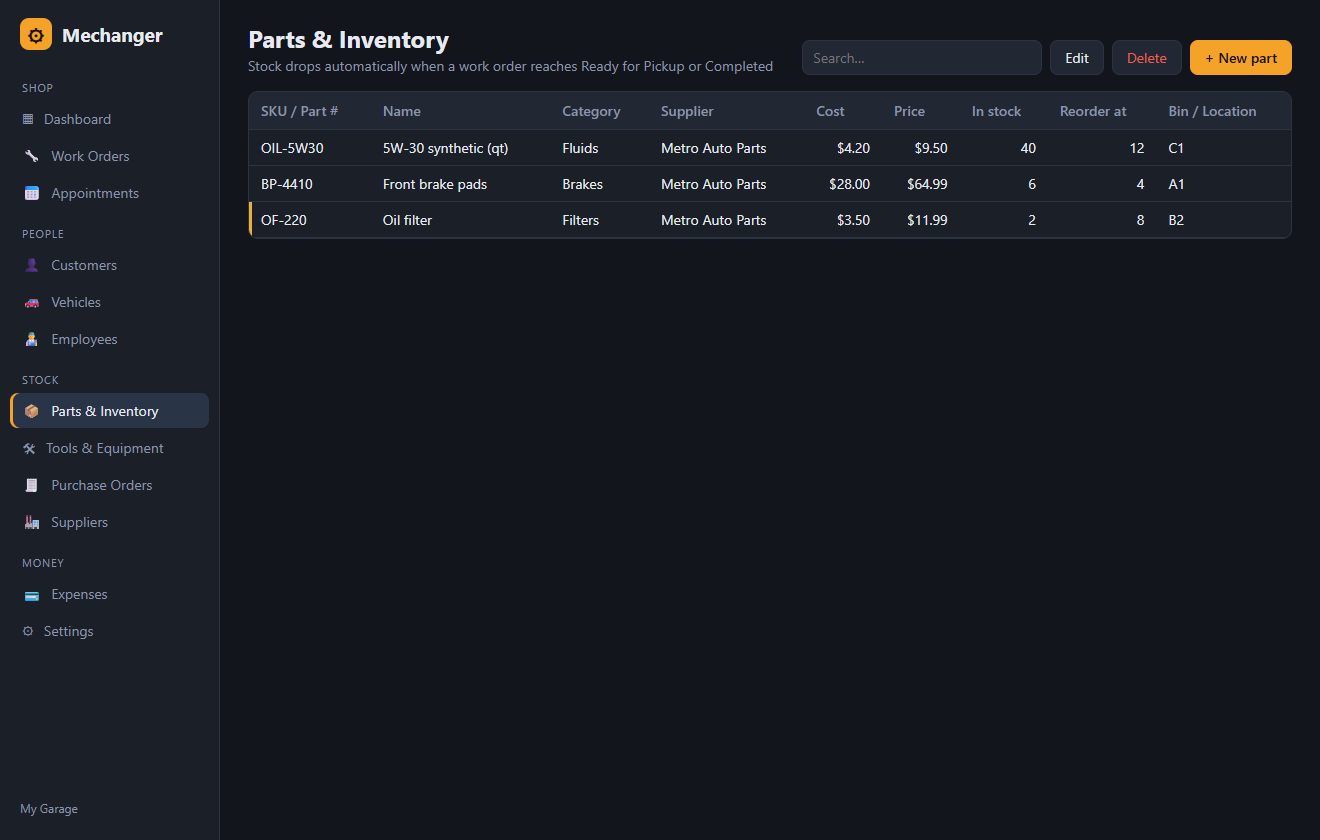
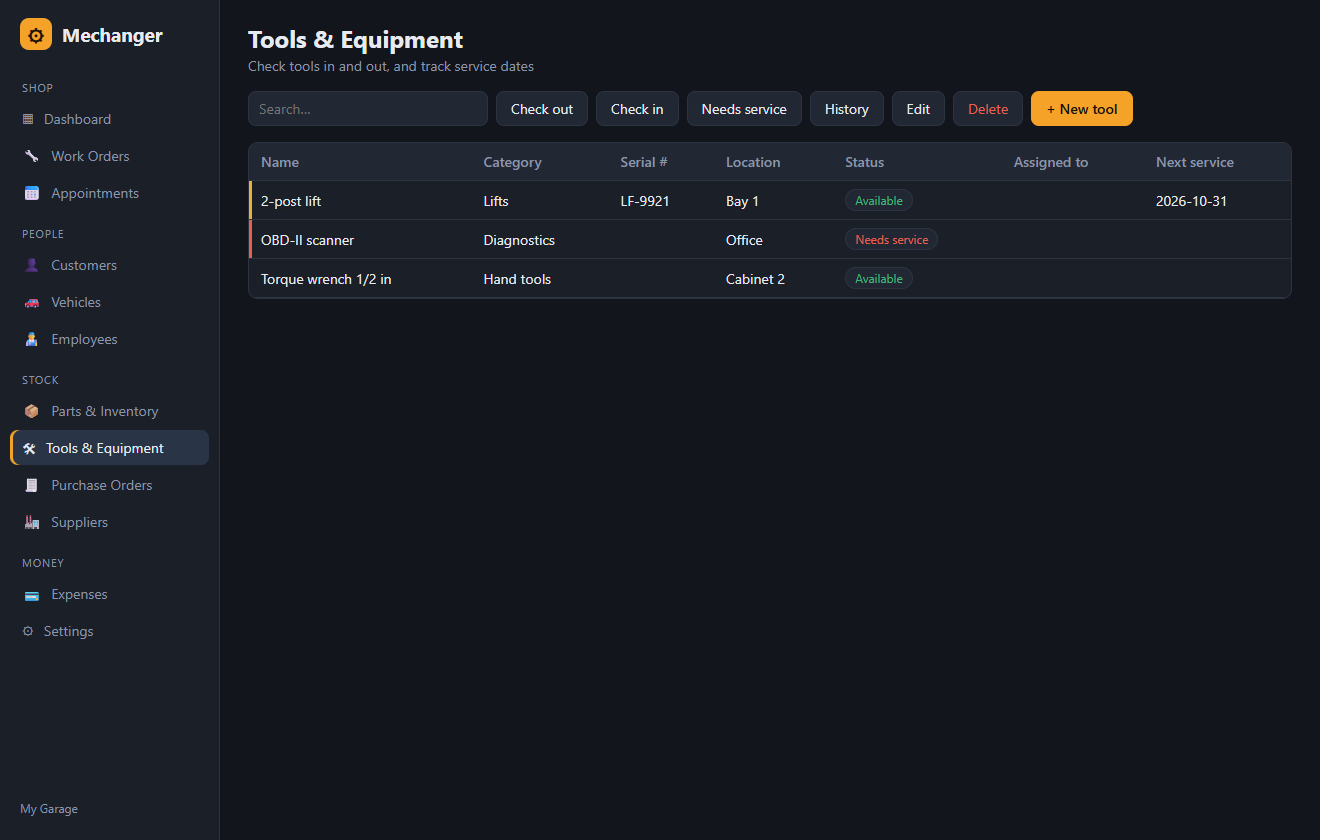
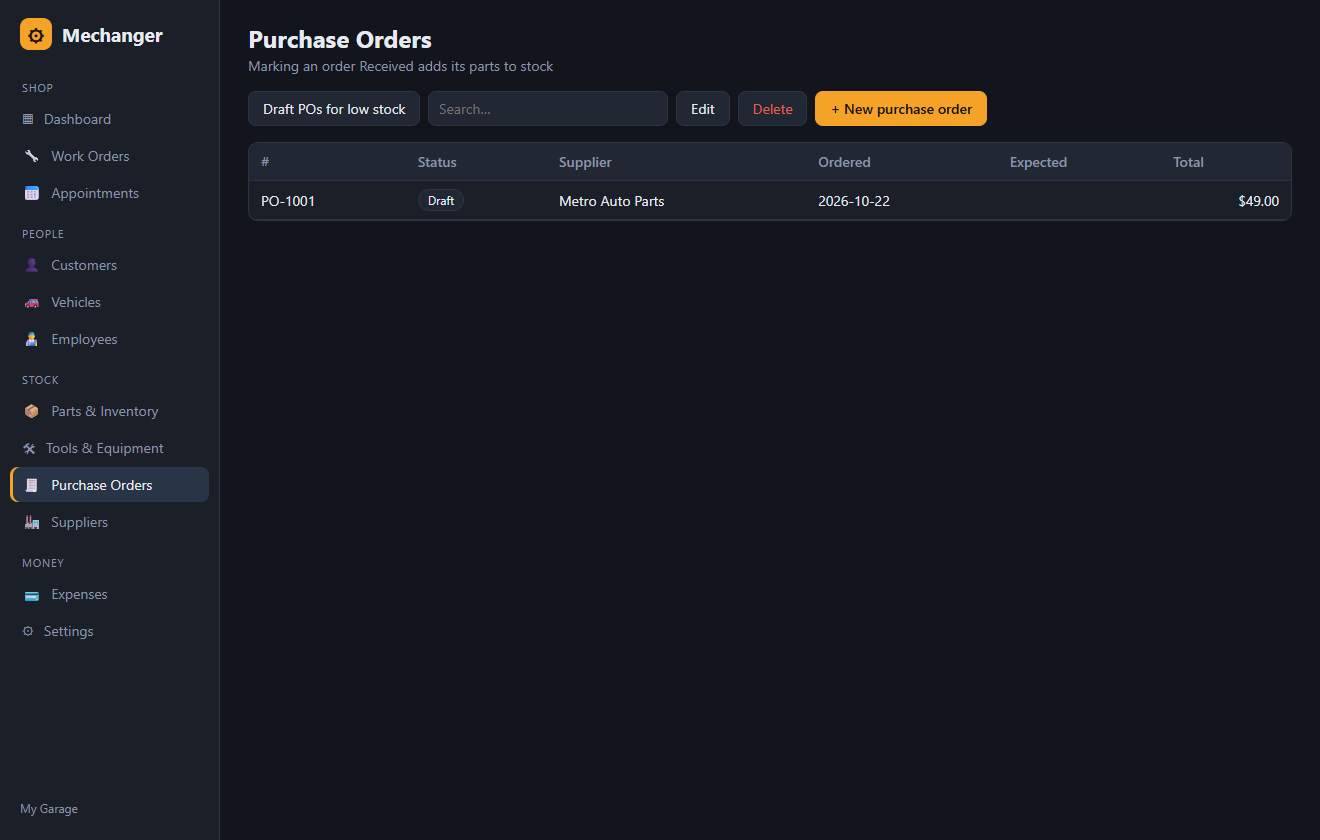
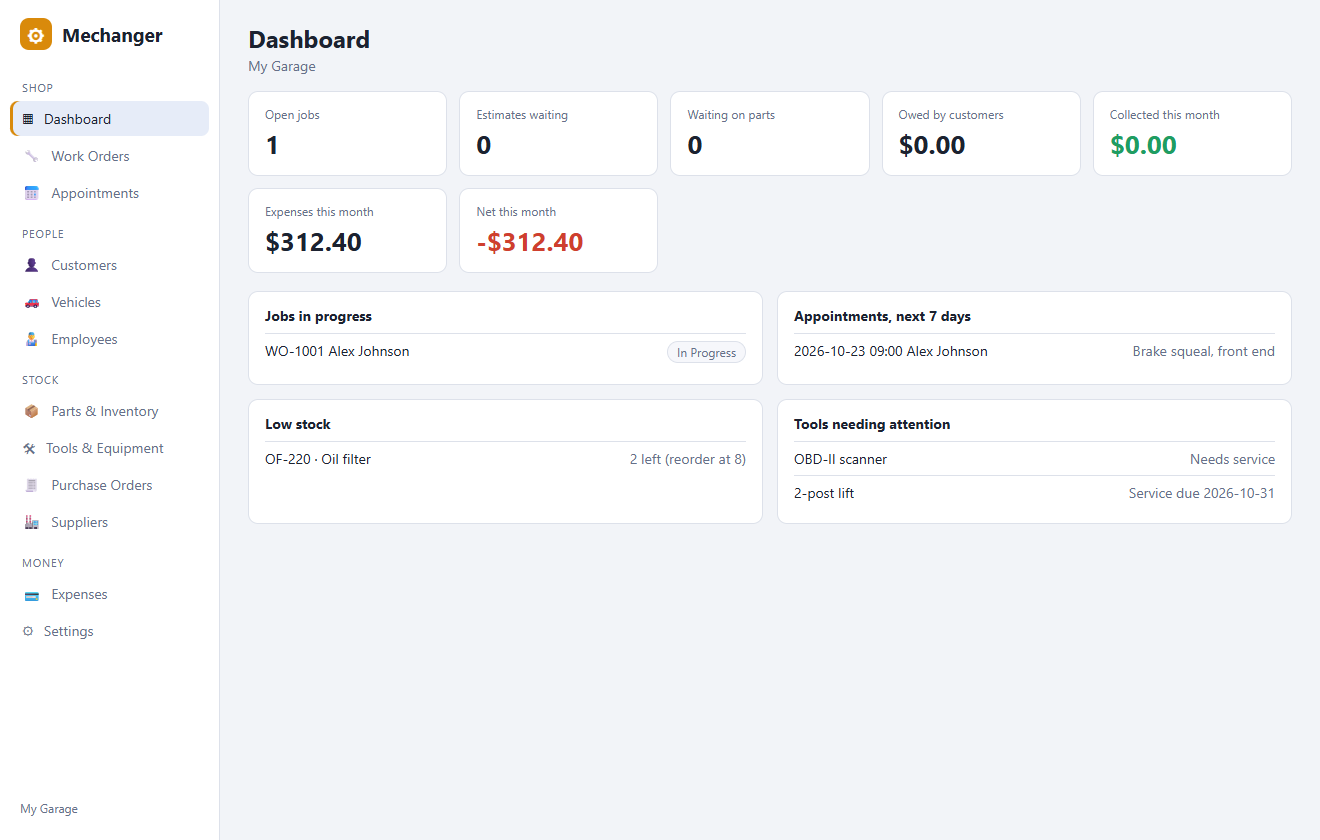
All screenshots use the built-in demo shop, not real customers.
What's in it
Built around how a repair shop actually runs, from the phone call to the paid invoice.
Start with an estimate, track the job through the bay, and print or save the invoice as a PDF.
Every customer, their cars, plates and VINs, mileage and notes, a click away while they're on the phone.
SKU, bin location, cost and price, stock on hand, and a reorder level that warns you before you run out.
Check tools out to a mechanic and back in, flag what needs service, and keep service dates for lifts and scanners.
Order from suppliers, then mark it received and your stock and part costs update themselves.
Book customers in with a mechanic, keep your team and suppliers on file, and log shop expenses.
Inventory you can trust
Most shops lose track of inventory because nobody updates the count. Mechanger does it for you, and undoes it if the job changes.
Estimates don't touch stock. Once a job reaches Ready for Pickup or Completed, its parts come off the shelf.
Saving a finished job again doesn't deduct its parts a second time. Change a quantity and only the difference moves.
If a job is reopened, cancelled or deleted, its parts go back on the shelf.
Marking a purchase order received adds its parts a single time and records what you paid for each.
These stock and tax rules are covered by automated tests, so they keep working as the app grows.
Your data
Mechanger is a native Windows app written in Rust. There's no account to create and no subscription server in the middle.
Everything lives in one file on your PC. It opens instantly and works with no internet connection.
Small to download, quick to start, and light enough for the older PC at the front desk.
Status
The honest headline: the core is built and its business rules are tested, but no real shop has used it yet.
| Part | Status | Notes |
|---|---|---|
| Work orders, totals, tax and payments | Tested | Covered by automated tests and run end to end on demo data. |
| Stock movement and purchase receiving | Tested | Automated tests cover deducting, restoring and receiving. |
| Customers, vehicles, parts, tools, suppliers, appointments, expenses | Demo data only | Every screen works with sample data; none has seen real shop use. |
| Printing invoices to PDF | Lightly tested | Uses the Windows print dialog. Layout hasn't been checked on real printers. |
| Windows installer | Built, unsigned | Windows may show a SmartScreen warning because the installer isn't code-signed yet. |
| Backups, user logins, multiple computers | Not built | One shop, one PC for now. Back up the data file by hand. |
What's next
No dates. The order depends on what real mechanics tell us.
Run Mechanger through a week of real jobs and fix everything that gets in the way.
One-click backup and restore, and separate sign-ins for the owner, advisors and mechanics.
A history page for each vehicle, inspection checklists, and "due for an oil change" reminders by text or email.
Share one shop between the front desk and the bays over your network.